Practical Clinical Modelling Workshop
In this session, we will go further into the key ideas behind archetypes and templates.
There will be a practical introduction to the openEHR Clinical Knowledge Manager and Archetype Designer clinical modelling tool, via a worked example based on a real clinical dataset.
Learning objectives
By the end of this workshop, participants will be able to:
- Understand the purpose of archetypes and templates
- Navigate the openEHR CKM
- Create and modify templates in Archetype Designer
- Import, use, and design archetypes
- Apply patient-centric modelling principles
Prerequisites
Participants should:
- Have a laptop
- Have Chrome or Firefox (or a derivative) installed
- Have access to the internet
- Possess a basic understanding of healthcare data modelling
Terminology
A few terms used throughout this workshop:
- Archetype – a reusable, inclusive data model for a single clinical concept (e.g. 'Blood pressure', 'Problem/Diagnosis'). Archetypes are designed to cover every way a concept could ever be recorded, so a single one can be reused across many contexts.
- Template – a composition of archetypes constrained and arranged for a specific clinical use case (e.g. a nursing admission form). Templates narrow archetypes down to what's actually needed.
- CKM (Clinical Knowledge Manager) – the online repository where archetypes and templates are published, reviewed, and governed, so authors can search for and reuse existing clinical models instead of creating new ones.
- Archetype Designer – the web-based tool used in this workshop to build templates from archetypes, and to author new local archetypes.
- Slot – a placeholder within an archetype or template that can be filled with one or more other archetypes (e.g. a 'Reaction event summary' slot filled with an 'Adverse reaction event' CLUSTER archetype).
- Occurrences / cardinality – constraints on how many times a data point or archetype may appear (e.g. setting occurrences to
0..*on 'Adverse reaction risk' allows any number of allergies to be recorded).
Further reading
Clinical Content Models – The openEHR wiki overview of clinical models, archetypes, templates, terminology, and clinical knowledge governance
Getting started
- Open a web browser (Chrome or Firefox works best)
- Go to https://tools.openehr.org/designer (best opened in a new tab)
- Login:
available_on_workshop_day - Password:
available_on_workshop_day - Choose the repository allocated to you – (A) Amsterdam, (B) Barcelona, (C) Copenhagen, (D) Dublin, (E) Edinburgh, (F) Frankfurt, (G) Geneva
- Select
Nursing Admission Assessment STARTER.v0in the list of templates - Open the original 'Nursing Admission Assessment paper form' (best opened in a new tab)
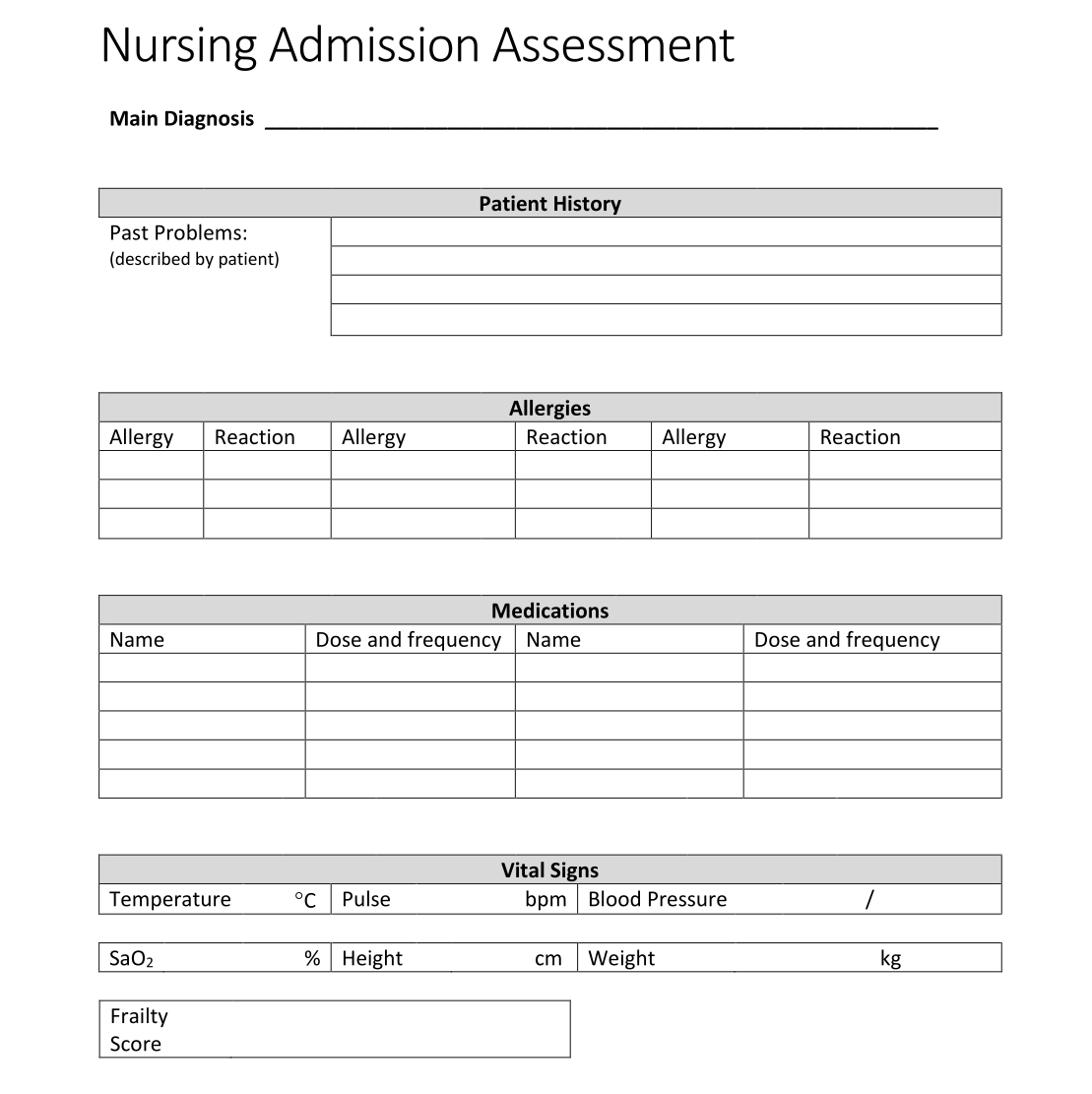
Once you're set up, head to the Exercises page for the practical modelling tasks.